Buddy is the companion you name yourself. They wake you with a call, keep every reminder going until it's done, and check on you when you go quiet.
Buddy is calling...Morning, Tolu. 29° and sunny. Today's one thing: get that proposal sent. Got your back.
You've tried the apps. The alarm you snoozed until 7:40. The to-do list you stopped opening in week two. The habit tracker that made you feel worse than the habit did. The fancy planner that's still mostly empty.
It was never your memory. It was never your discipline either.
Those apps ping you once and go quiet. Swipe the alert away and that's the end of it. Nothing notices, and nothing asks again. When the day goes sideways, the plan just sits there, wrong.
Look at the people who seem to have it all together. Plenty of them have someone keeping them on it. The boss has an assistant. The student who never oversleeps has a mum who calls at 6.
You didn't fail those apps. Your day just had nobody in it.
Buddy puts somebody in it.
Your alarm, your pills, your rent and your exam all sit with the same companion. One friend who sees the whole day can do the thing five separate apps never could. Follow up.
Alarms, tasks, medications, bills, birthdays and exam dates live in one place, with one friend. Nothing hides in an app you forgot you downloaded.
A reminder keeps ringing and buzzing until you deal with it, Focus or no Focus. Tap Done, Snooze or Tomorrow on the notification itself. Miss a pill and they ask again 10 minutes later.
Fall behind and Plan my day redraws the day around your calendar and how much energy you have. At night, they'll help you push what's unfinished to tomorrow.
A morning call with the weather and your top three. A kind reply when you log how you feel. And if you disappear for a few days, a call to see how you're doing. Never at night.
Whatever you call them is what you'll see on every alarm, reminder, call and celebration. Swap any of it whenever you like.
A nickname, your hero, or the aunty who never let you slack. Your call.
Pick their skin tone and hair. New outfits and accessories come as you tick things off.
Choose a voice, then a manner. Caring friend, strict coach, calm mentor or funny friend.
Kai here. So, the interview. How did it go? Let's pick one easy win for this afternoon.
Want them to forget? Clear their memory in Settings whenever you like.
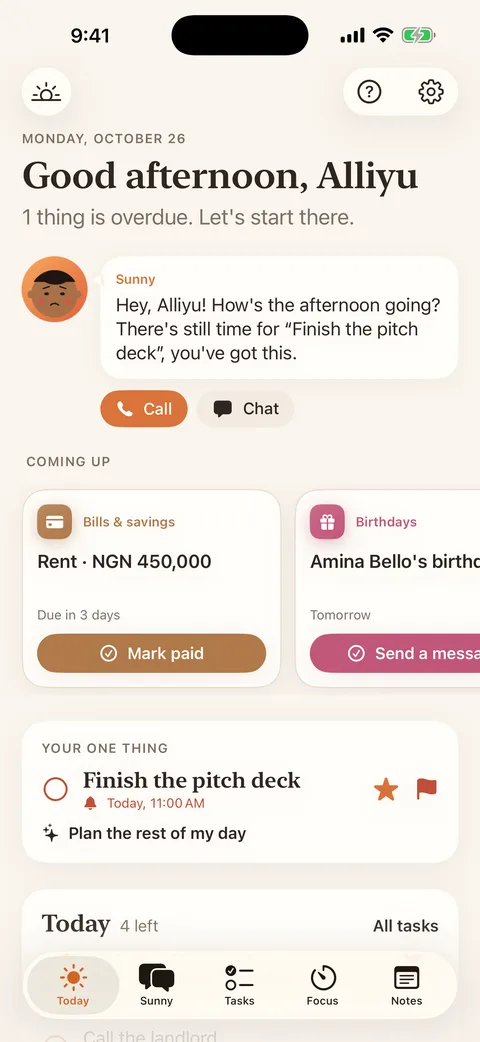
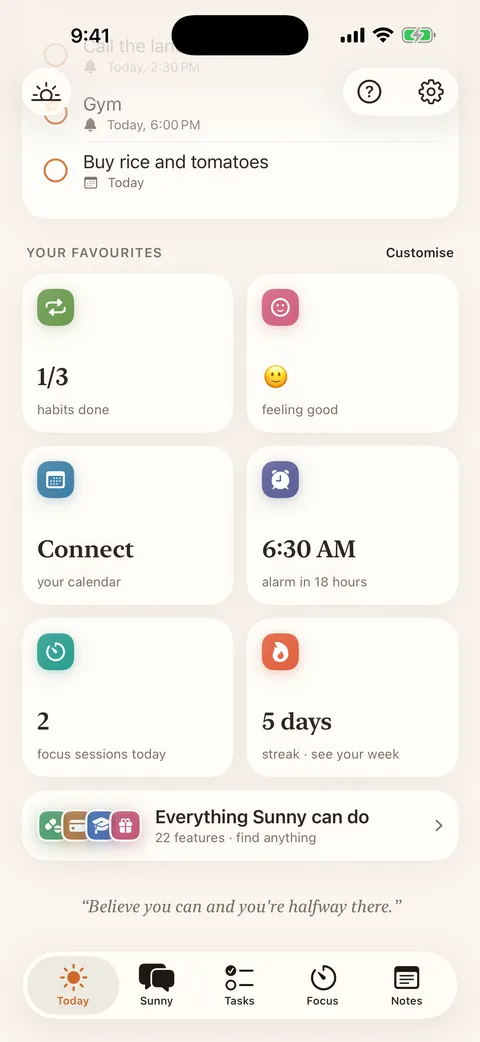
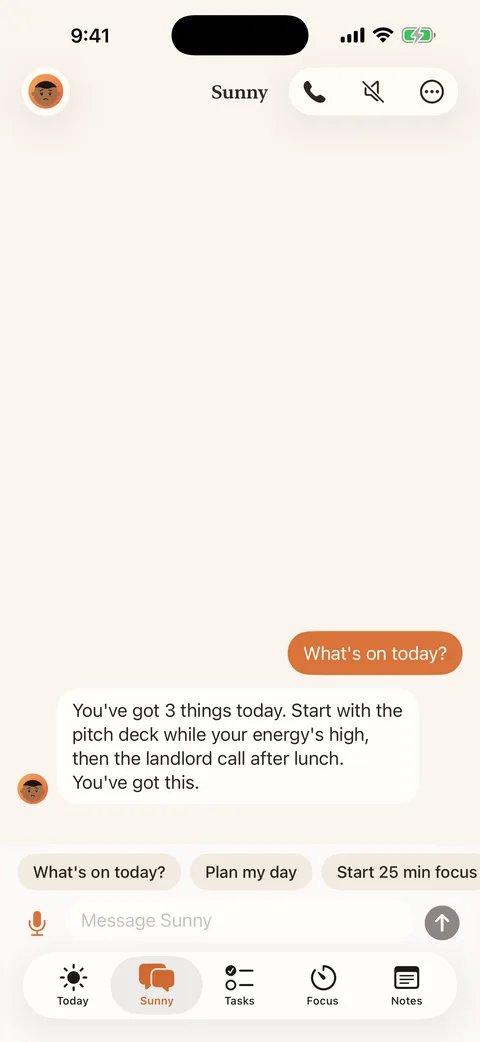
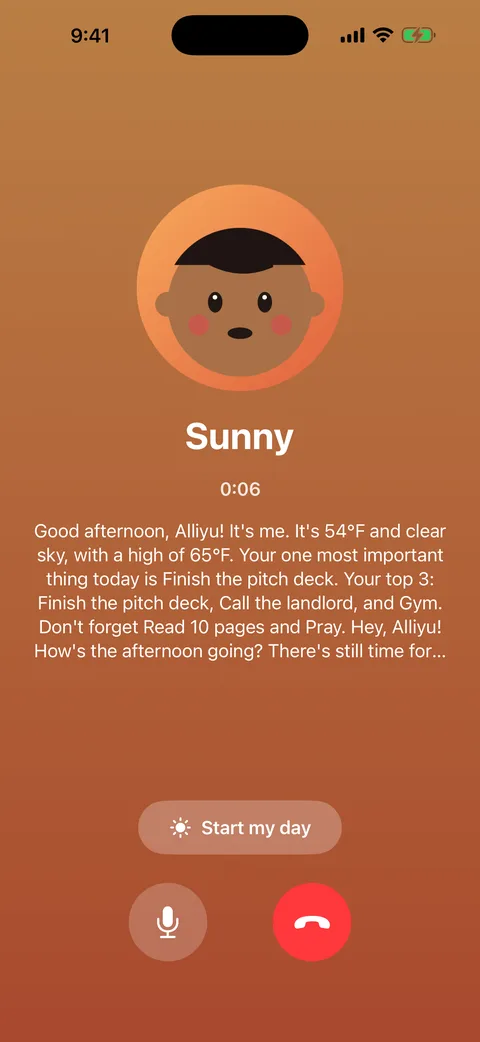
Real screens, starring a companion named Sunny. Yours gets whatever name you pick.

What needs you right now, one tap each.

Habits, mood, next alarm and your streak, laid out how you like.

Ask what's on today. Sunny lists it and tells you where to start.

The weather, your one thing and your top three, before you're out of bed.

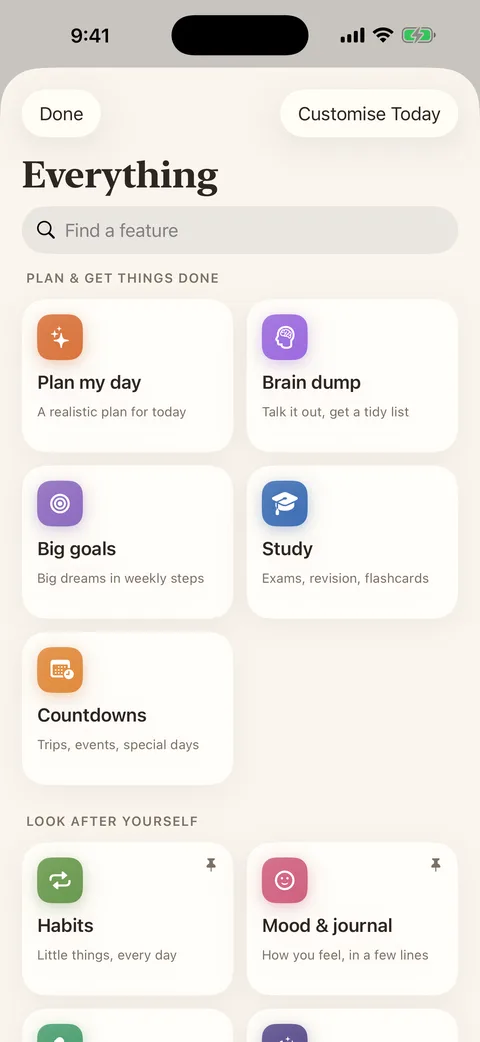
Can't find something? Search it. Every feature lives here.

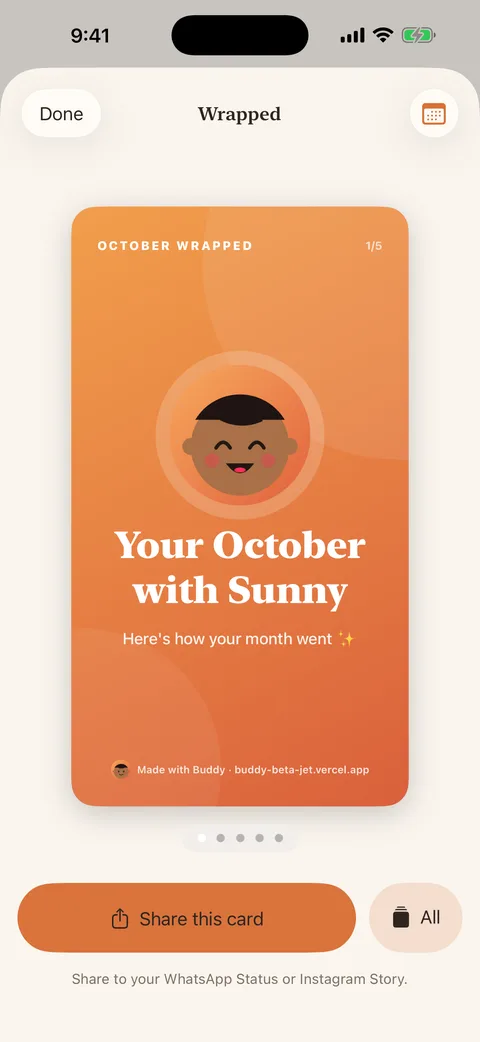
Your month with your companion, ready for your Status.
Grouped the way your day runs.
Silent mode on? Focus on? App closed? They still ring, right on your lock screen.
Record your mum, your best friend or your own voice, and wake up to that instead of a beep.
Your companion rings before your feet touch the floor: today's weather, your top three, and a little encouragement.
Don't trust yourself with Snooze? The alarm won't stop until you've solved some sums, walked, shaken the phone, typed a phrase or snapped a photo of something in another room.
A reminder from Buddy doesn't fire once and vanish. It keeps ringing and buzzing, through Focus, until you deal with it. Done, Snooze or Tomorrow, straight from the notification.
Tell it what's on. It fits the day around your calendar and how much energy you've got, and if lunch runs long, it re-plans the afternoon. Had a short night? It can go easier on you.
Say "remind me to buy data at 9" and that's sorted. Or talk for two minutes about everything on your mind, and Buddy turns it into a neat list.
Set a session as short as 15 minutes or as long as 5 hours. Breaks are built in, calm sounds play, and the countdown waits on your lock screen so you can leave the phone alone.
Count down to the exam, run revision sessions subject by subject, and let your flashcards come back around when it's time to see them again.
Working towards something big? Buddy breaks it into weekly steps. Got a date coming? It counts down with you.
Pick the times, get the nudges, and watch the streak grow. Hit a milestone and there's confetti.
Answer the reminder without opening the app: Taken, Snooze or Skip. See your score for the week, and get told before you run low.
One tap for your mood, a few lines if you want to say more, and a kind word back.
Before bed, set up tomorrow, note one good thing from today, and fall asleep to calm sounds.
Switch on what fits you: prayer times, a verse, readings from your own faith, or a reflection anyone can use. Or leave it all off.
Haven't opened Buddy in a few days? Expect a call checking you're okay. Never at night.
A nudge before each bill is due, a Mark paid button, and a ring that fills up as you save towards each goal.
Buddy pulls birthdays from your contacts and has a WhatsApp message ready to go.
Your month turned into cards worth posting on your Status or Story.
Share a goal with a friend. You both see each other's streak, send a cheer when they show up, and nobody needs an account.
Invite friends with your code and climb the monthly leaderboard for a gift. Using Buddy earns points that unlock new looks for your companion. Optional, and prizes are for over-18s. Rules
Your companion can be an animated character, an emoji you like or the classic face. Change it whenever you want.
Save everything in one file, keep it in iCloud Drive or Google Drive, and bring it all back on a new phone.
Kai rings. "Morning, Tolu. 29° and sunny. Three things on today, and the proposal comes first."
Tap Taken on the lock screen. Leave it, and Kai asks again at 08:10.
Rain sounds playing. Phone face down on the desk. The countdown runs on the lock screen.
Fifteen minutes to "Call the bank". Snooze it or tick it off right there on the notification.
It's waiting on Today, under Coming up. One tap on Mark paid and it's off your mind.
Kai: "Four done, one left. That one can wait for tomorrow. Go and rest."
Pick English, Nigerian Pidgin, Yorùbá, Hausa, Igbo or French, and your companion greets you, reminds you, calls you and cheers you on in it.
It's saved on your phone, not on our servers. We can't sell what never reaches us. The only things on our server are the shared goals and Rewards you choose to join.
Download, name your companion, done. No sign-up, no ads, no tracking.
Your habits, notes, tasks, health details and everything your companion remembers are saved on your phone.
On iPhone, chat can run on Apple's on-device intelligence. On any phone, you can plug in your own AI instead, using your own key, and that key is kept on your phone. Your chats then go to that provider.
The weather in your morning call needs a rough location, rounded to about 1 km. Turn the weather off and even that stays home.
Download Buddy, give them a name, and set tomorrow's alarm. You'll hear from them in the morning.
Free on iPhone and Android. No account, no ads.
Questions? Visit Support.
Yes. There's no subscription, no ads and no account. Download it and you're in.
Yes. These are proper alarms, so they ring through Silent mode and Focus, right on the lock screen, even with the app closed.
Yes. Buddy is on Google Play, free, with no account and no ads, just like on iPhone.
If the App Store or Google Play lets you install it, yes. Alarms, reminders, habits, focus sessions and the rest work on every phone. For full back-and-forth chat, Buddy uses Apple Intelligence on iPhones that have it, or you can connect your own AI on any phone.
Yes. Your tasks, notes, health details and memories are saved on your phone. A few things can leave it, only when you use them: a rough location, rounded to about 1 km, for your weather forecast; your chats, if you connect your own AI; and a nickname and your progress, if you share a goal with a friend or join Rewards. Full details.
You can, but you don't have to. Go to Settings → Connect your own AI and add a key from OpenAI, Anthropic or Google. Gemini has a free tier. Your key is saved on your phone, not with us.
Yes. Switch them off in Buddy → Settings → Check-in calls, or tap Stop these calls on any call notification. They never come at night.
English, Nigerian Pidgin, Yorùbá, Hausa, Igbo and French.
No. They're optional. Switch on prayer times, verses or a daily reflection if they fit you, or leave them off.
Yes. Go to Settings → What your companion remembers → Forget everything. Deleting the app deletes everything else.